
Know what to do. Know when to do it.
Mello turns your to-do list into a realistic schedule around the life you already have.
Add your tasks once. Mello finds the time, prioritises what matters, and moves unfinished work automatically when plans change.
Connects to Google Calendar. Read-only. Nothing gets changed.
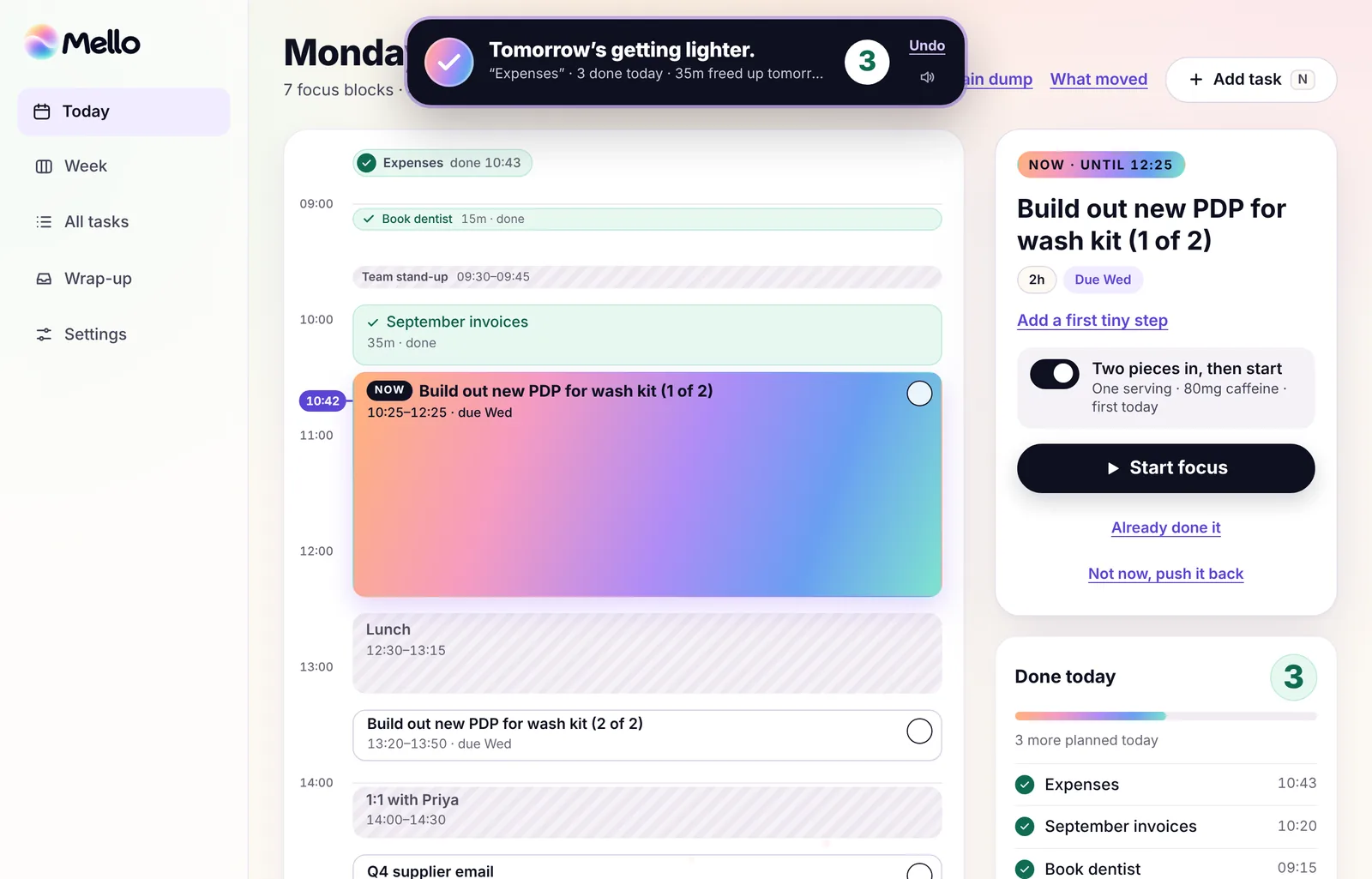
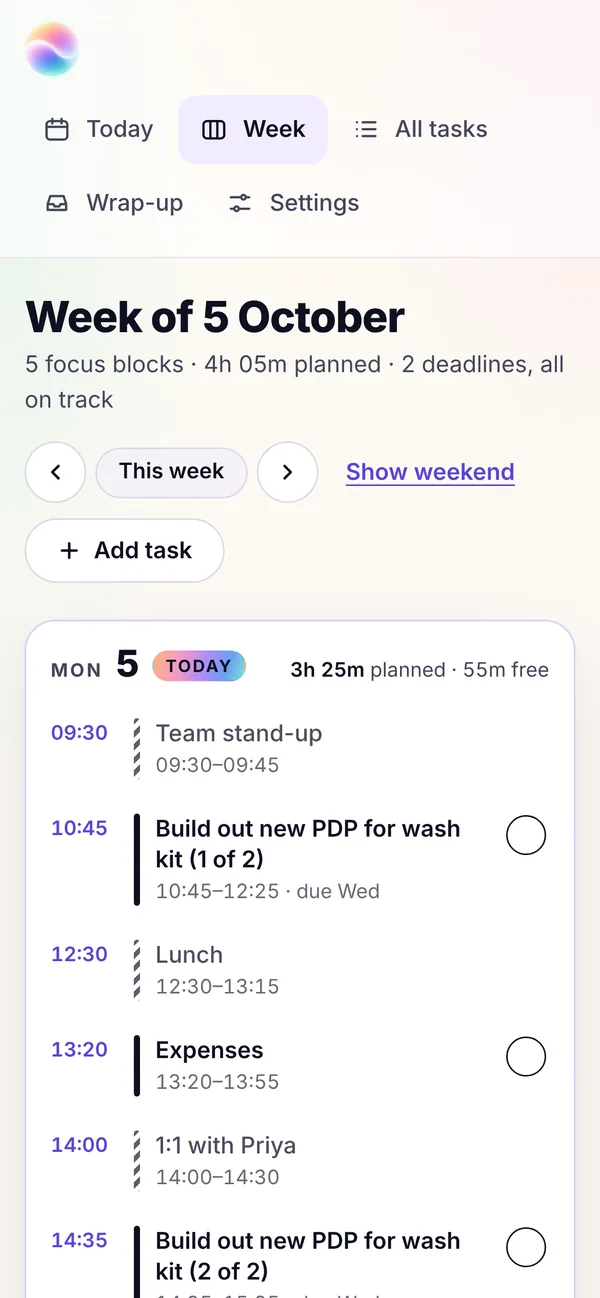
From a pile of tasks to a plan you can follow.
A list can show you everything you need to do. It can’t tell you when you’re going to do it.
So the week starts with 20 things competing for attention, meetings cutting through the middle, and a vague hope that somehow it’ll all fit.
Then one call runs over and the plan’s already out of date.
Mello turns the list into a schedule you can actually follow.
It knows what’s urgent
Deadlines and priorities come first.
It knows when you’re free
Mello works around the meetings already in your Google Calendar.
It knows when the plan changes
Miss a task or lose an hour? Mello finds it a new slot automatically.
Give Mello the tasks. It’ll find the time.
You don’t need to organise everything before you start. Add what’s on your mind, and Mello turns it into a realistic plan across the days ahead.
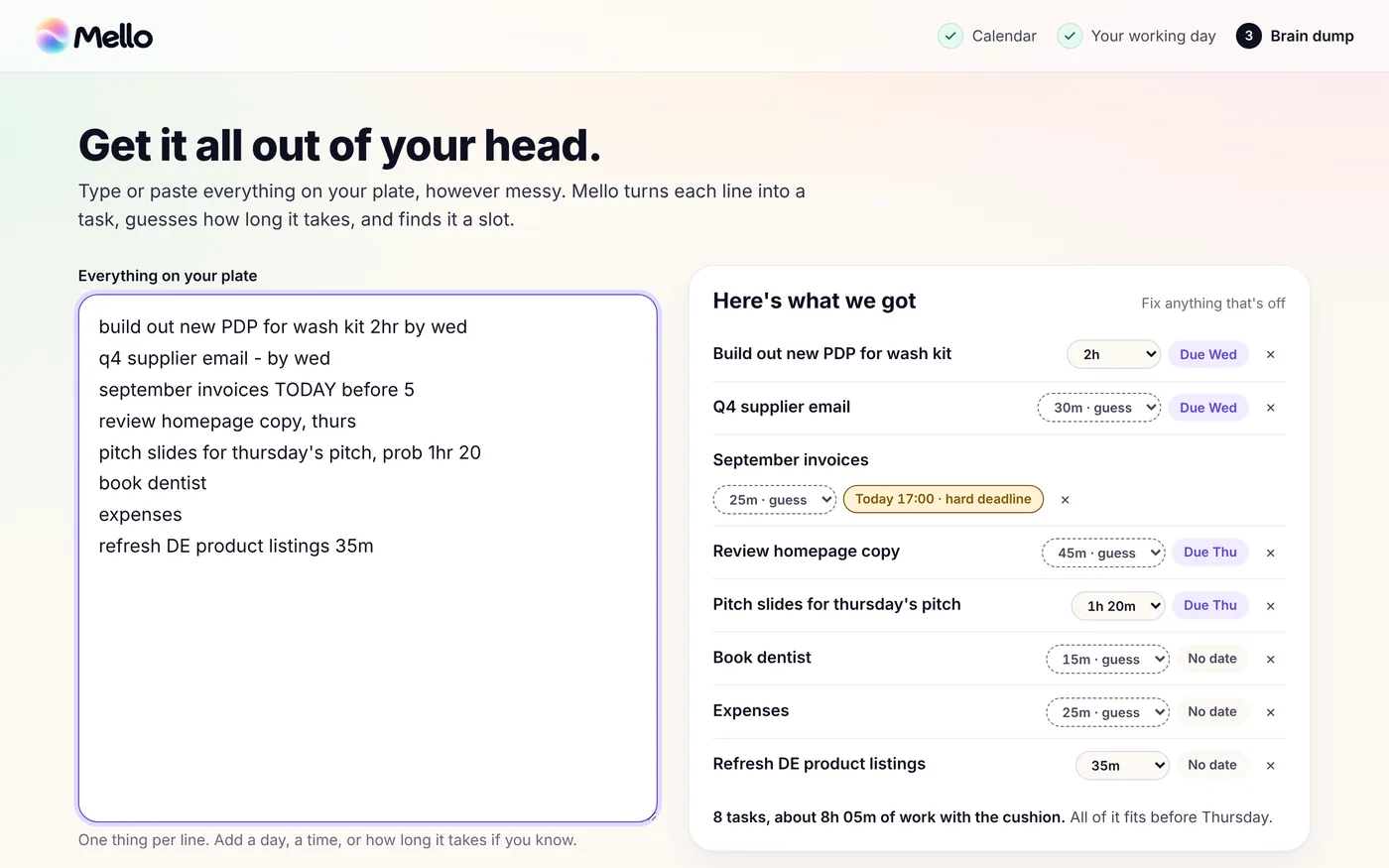
Get it out of your head
Type or paste everything you need to do. Deadlines, rough timings, half-formed reminders — it doesn’t need to be neat.
Mello works out what needs doing, how long it’s likely to take, and what needs your attention first.
Let Mello build your week
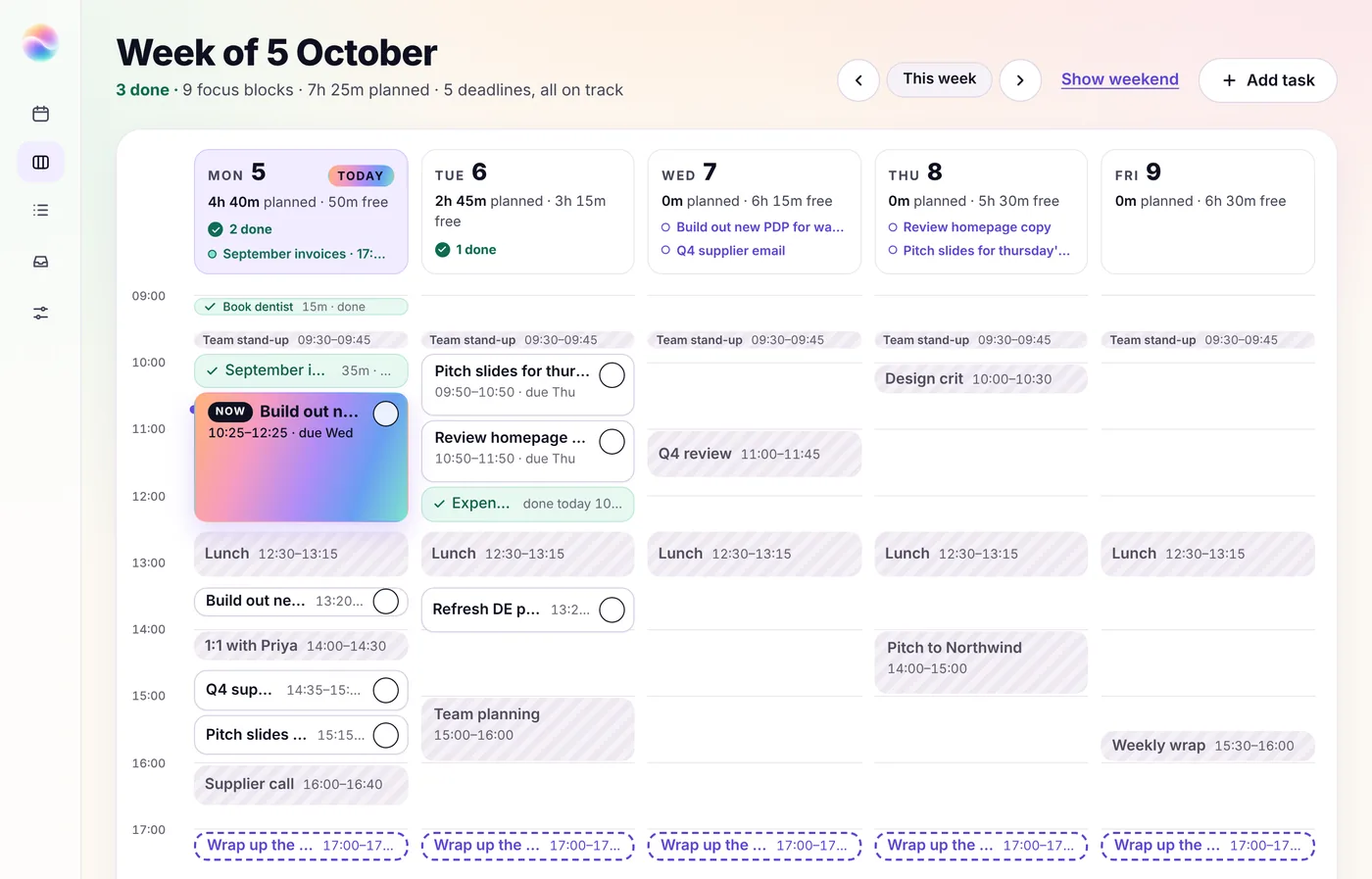
Mello looks at the gaps around your existing calendar and gives each task a time to happen — today, tomorrow, or later in the week.
Urgent work gets priority. Bigger jobs get a solid block of time, and only split when a meeting or the end of the day gets in the way. Your meetings stay exactly where they are.
Keep going when plans change
Weeks rarely go exactly to plan.
If a meeting runs over, a task slips, or something new lands, Mello moves things around and keeps the rest of your week up to date automatically.
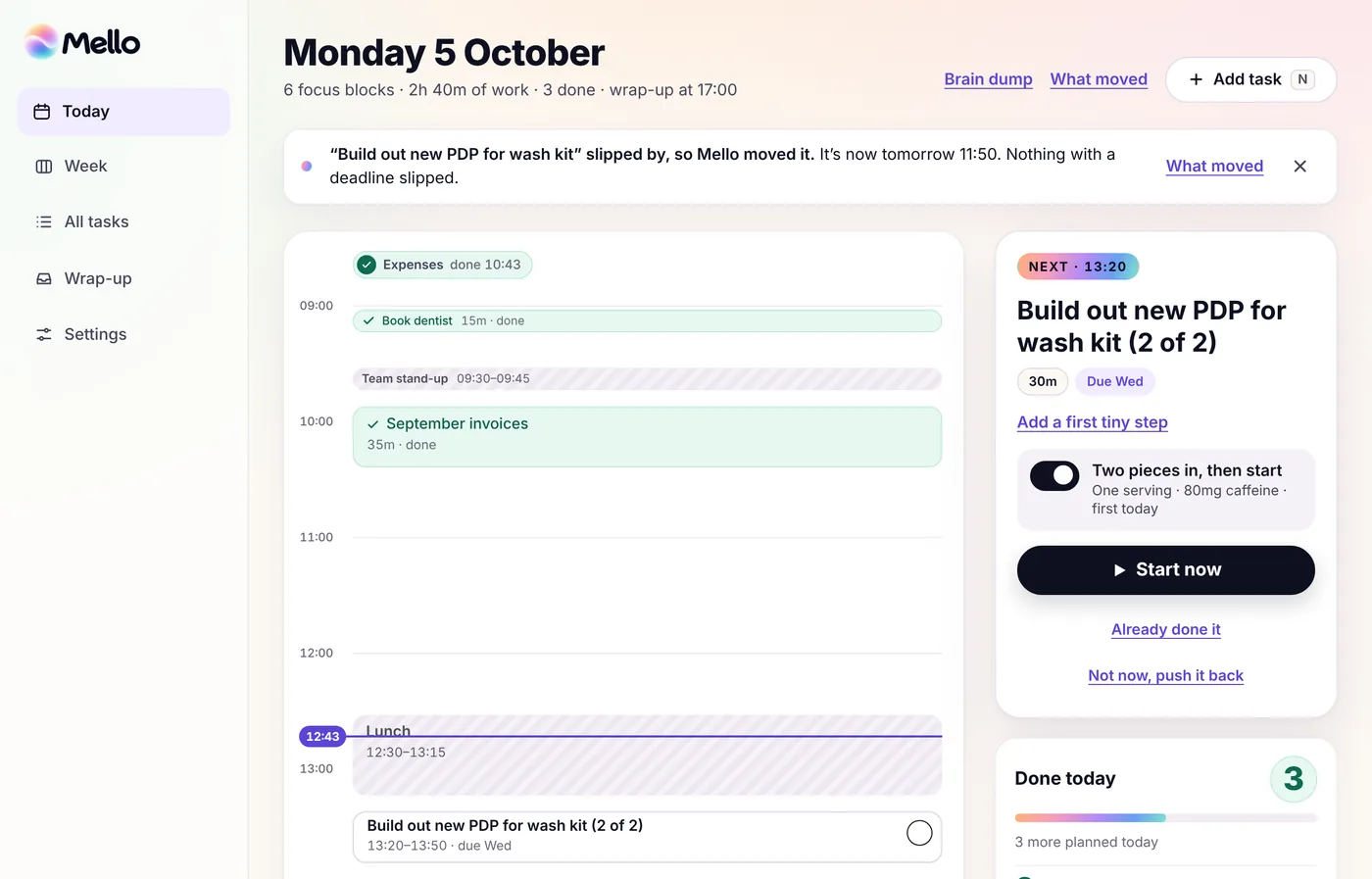
Getting things done should feel like getting things done.
Most planners are very good at showing you everything that’s still unfinished.
Mello makes sure you can see the other side too.
Finish a task and tick it off. Your completed blocks stay visible, your done count climbs, and Mello keeps track of how much you’ve actually achieved — not just what’s still waiting.
- See your progress buildEvery finished task stays on your plan, so your day doesn’t end looking empty just because the work is done.
- Get the little winTick something off and Mello gives you a small hit of feedback. Nothing over the top. Just enough to make finishing feel satisfying.
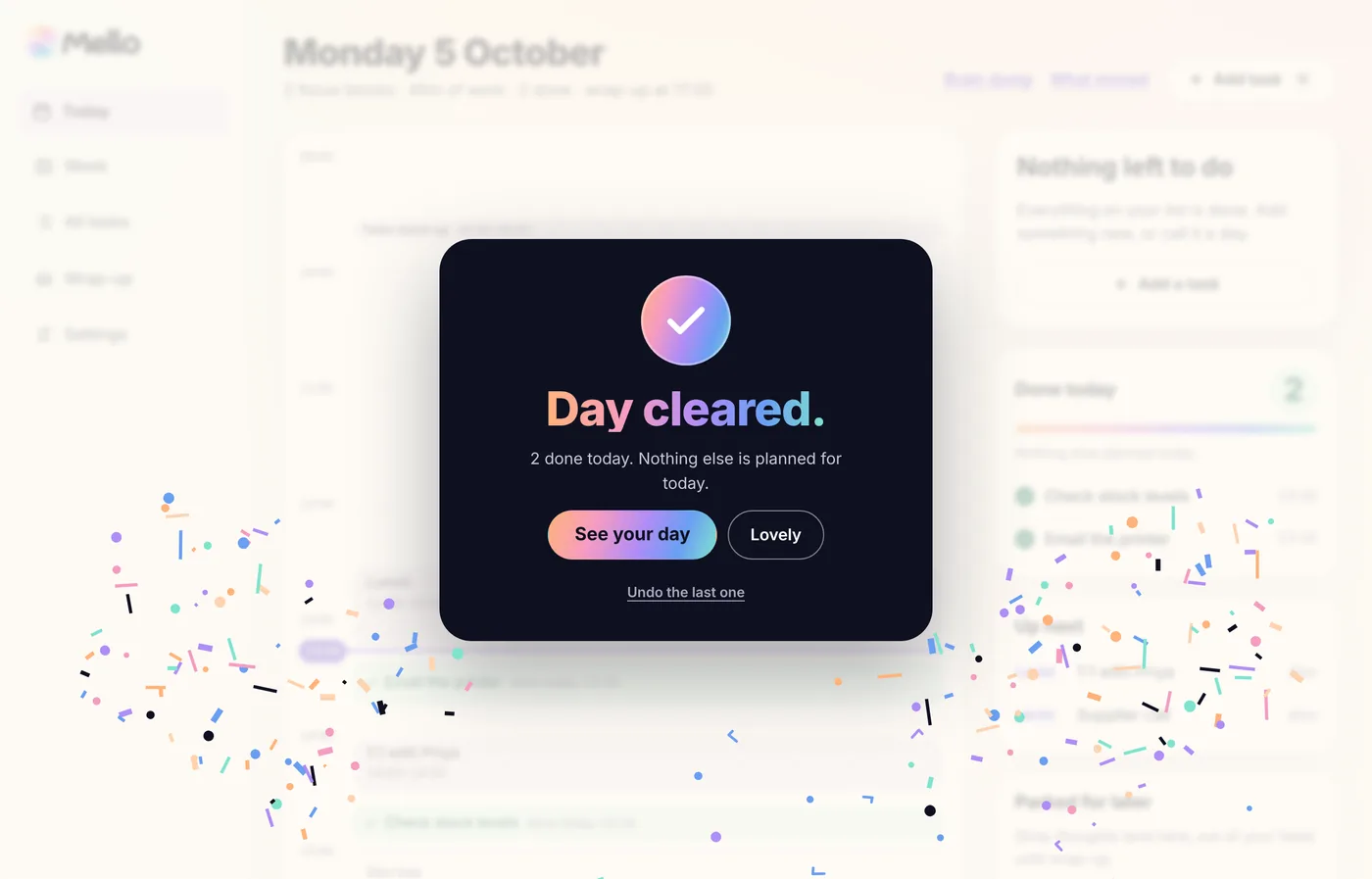
- Clear the dayGet through everything you planned and Mello marks the moment properly. Because sometimes you need to see “I actually got a lot done today.”
Built for weeks that change as you go.
Mello keeps your plan realistic, even when your week isn’t.
Works around your calendar
Mello sees when you’re already busy and plans your tasks into the time that’s actually free.
Your meetings stay untouched. Your tasks fit around them.
Replans when something slips
Didn’t get to something? Meeting ran over?
Mello finds the task another sensible slot, so one disrupted afternoon doesn’t derail the rest of your week.
Keeps you focused on one thing at a time
Every task has its own focus timer.
Start the block, do the thing, tick it off. No staring at a giant list wondering where to begin.
Lets you take control when you want to
Mello can plan the week for you, but you’re never locked into its decisions.
Drag tasks around, give something more time, or add a new block wherever you need it.
Shows you what the week actually looks like
See your tasks, meetings, deadlines and free time together.
You’ll know what fits, what doesn’t, and where you’ve still got room before the week gets away from you.
Clears the loose ends
Drop stray thoughts and new tasks into Mello as they come up, then sort them when you’re ready.
Nothing needs to live in your head just because you can’t deal with it right now.
Mello comes free with Chewphoria®.
Order any pouch of Chewphoria® and you’ll get 3 months of Mello included.
Use it to plan your week, stay on top of what matters, and take a little more out of your head.
With Chewphoria®
Then £9.99/month if you want to keep using it.
- Everything in Mello
- Included with any pouch of Chewphoria® Energy & Focus Gum
- Your free months are yours even if you stop ordering the gum
- Cancel anytime
Mello on its own
No gum required.
- Full weekly planning
- Automatic replanning
- Google Calendar integration
- Focus timers and progress tracking
- Works on phone, tablet and desktop
- Cancel anytime
Mello can see your calendar. It can’t mess with it.
Mello only needs to know when you’re busy so it can plan around you.
It can read your Google Calendar, but it can’t edit events, move meetings, add anything, or delete anything.
- Read-only calendar accessMello sees when you’re available and works your tasks around what’s already there.
- Your tasks stay privateYour plans, tasks and completed work belong to your account and aren’t visible to anyone else.
- No new password to rememberSign in securely with Google and get straight into your week.
- You stay in controlDisconnect your calendar or cancel Mello whenever you like.
A few things you might be wondering
What is Mello?
Mello is a weekly planner that turns your tasks into a realistic schedule.
Add what you need to do and Mello finds time for it around your existing calendar, then keeps the plan up to date when things move.
How is Mello different from a to-do list?
A to-do list tells you what needs doing.
Mello also works out when you can actually do it.
Instead of staring at a list and deciding what to tackle next, you get a plan across the week that already accounts for your meetings, deadlines and available time.
What happens if I don’t finish something?
Mello replans it.
If a task slips, Mello looks for the next sensible space in your week and moves it there automatically.
Nothing gets quietly forgotten at the bottom of a list.
Does Mello change anything in my Google Calendar?
No.
Mello only has read-only access. It can see when you’re busy so it knows where your free time is, but it can’t edit, move, create or delete calendar events.
Which calendars does Mello work with?
Google Calendar for now.
Outlook and Apple Calendar aren’t supported yet.
Is there an app?
Mello works in your browser on your phone, tablet or computer.
On mobile, you can add it to your home screen so it opens like a regular app.
Do I need Chewphoria® to use Mello?
No.
Mello is £9.99/month on its own.
But order any pouch of Chewphoria® and you’ll get 3 months of Mello free.
Can I try it before signing up?
Yep.
You can open Mello and try it with sample data straight away — no account and no card required.
Can I cancel whenever I want?
Yep. Cancel any time from your account.

Stop carrying the whole week in your head.
Give Mello the tasks. It’ll turn them into a plan you can actually follow — and keep that plan moving when your week does.
Try Mello freeNo sign-up. No card. Just open it and see how your week could look.